
Find the ideal vehicle for your customer: filter the inventory, search by VIN or stock number and review its details.
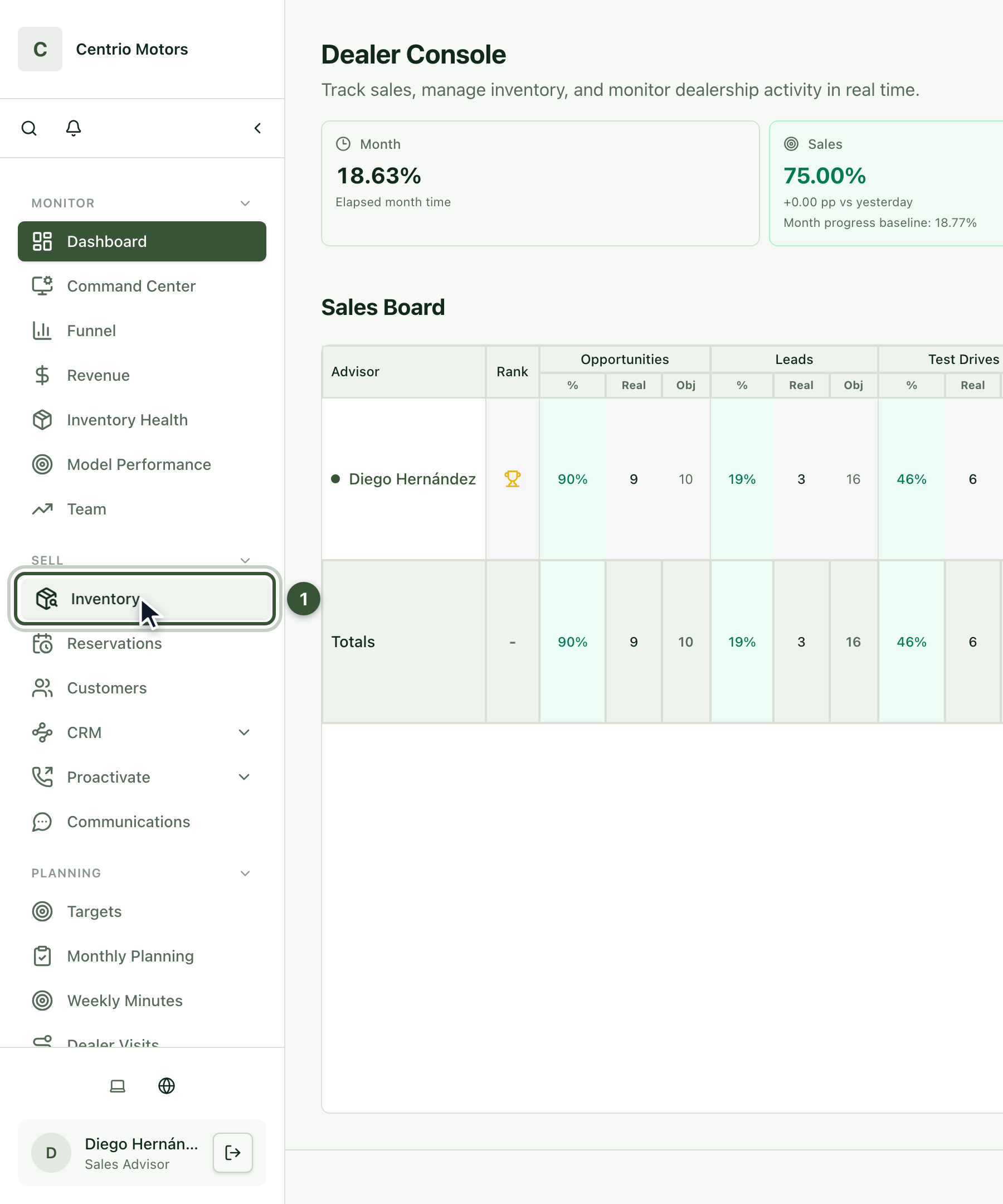
1. Open Inventory
Sign in to Centrio with your email and password.
In the sidebar, under Sell, click Inventory (1).
2. Read the list
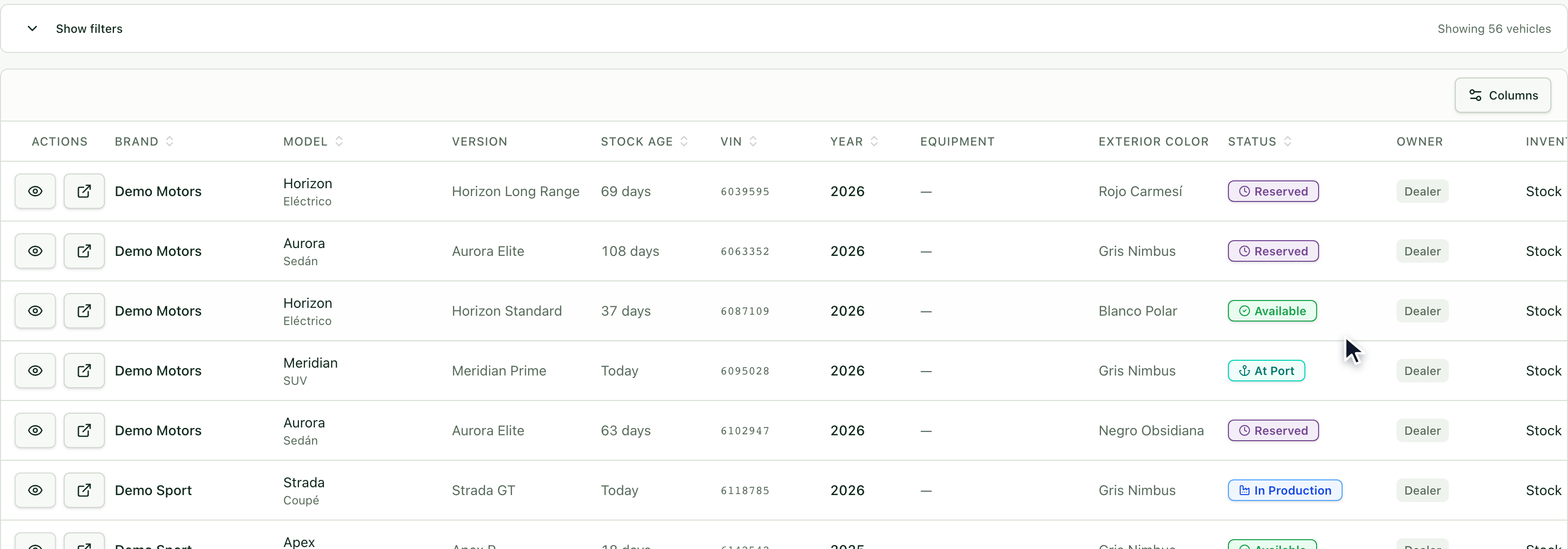
Here you see the dealership's vehicles: brand, model, version, age, VIN, year, color and status. The status tells you whether a vehicle is Available, Reserved, At Port, In Production or At Dealership.
3. Filter the list
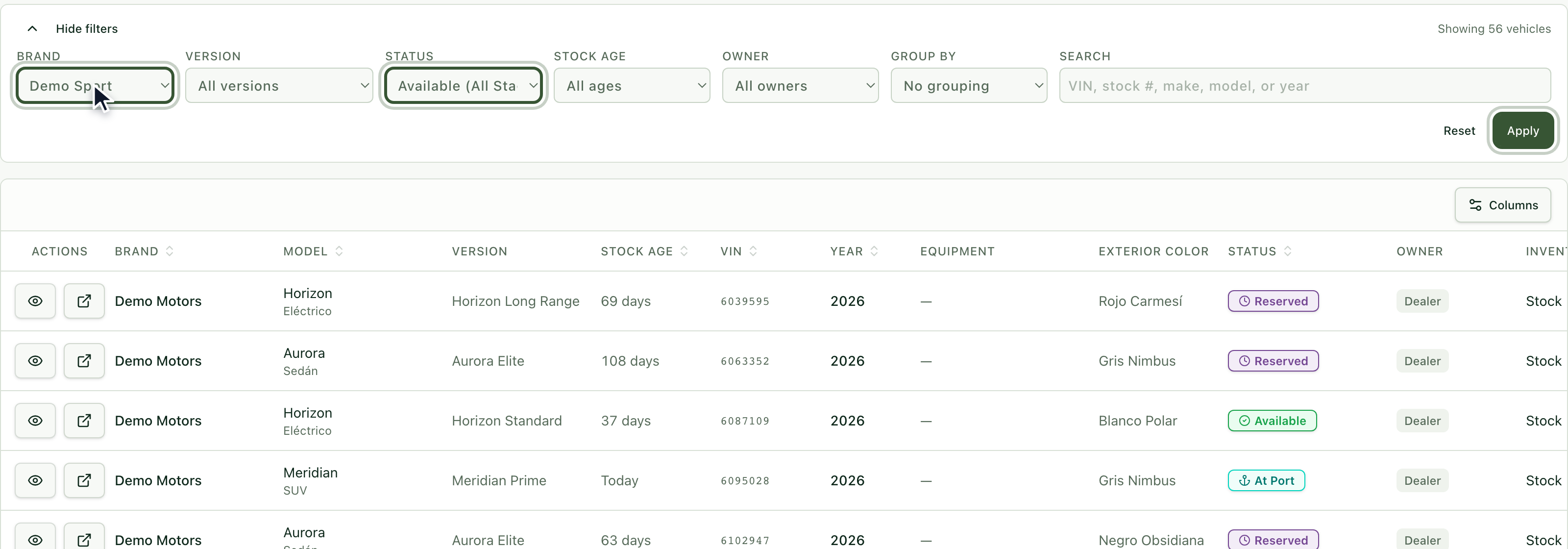
Click Show filters to narrow the list. For example, choose the Status Available and the Brand Demo Sport, and press Apply. You can also filter by Version, Stock Age and Owner. Use Reset to see everything again.
4. Search by VIN, stock number, brand, model or year
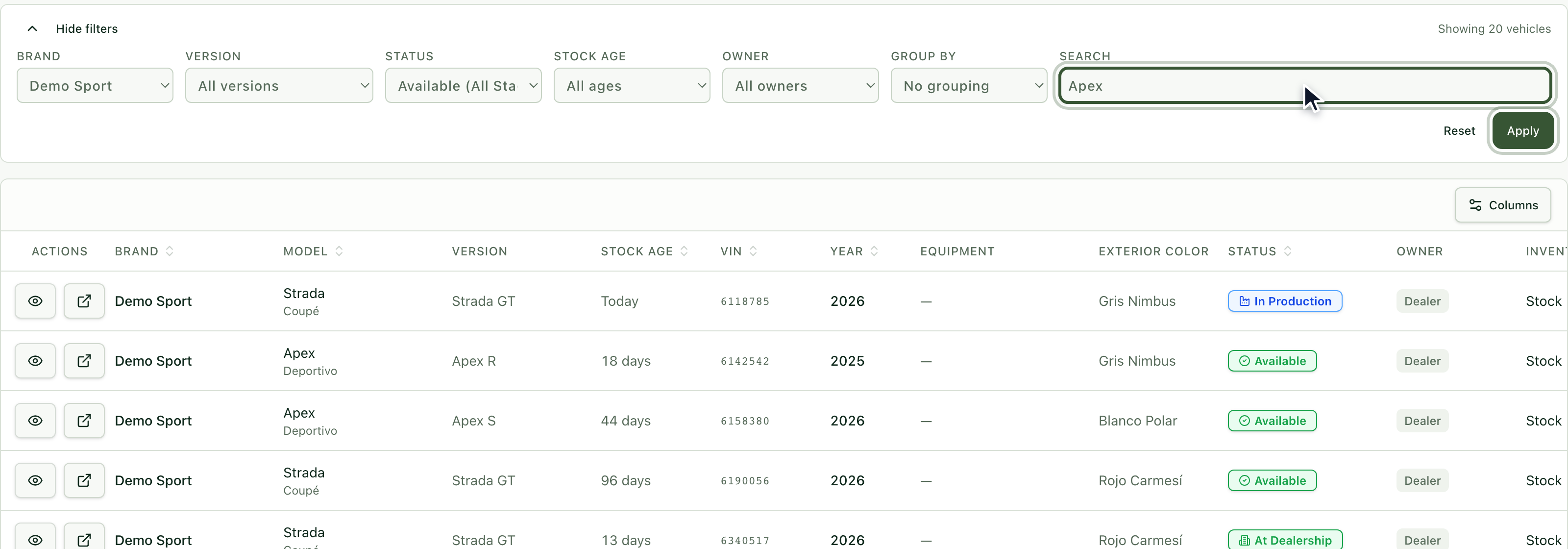
In the Search field type, for example, Apex and press Apply. Search works with the VIN, the stock number, the brand, the model or the year.
5. Group the results
With Group By you can see the results together by model, version or location. Click a group to open it.
6. Open a preview
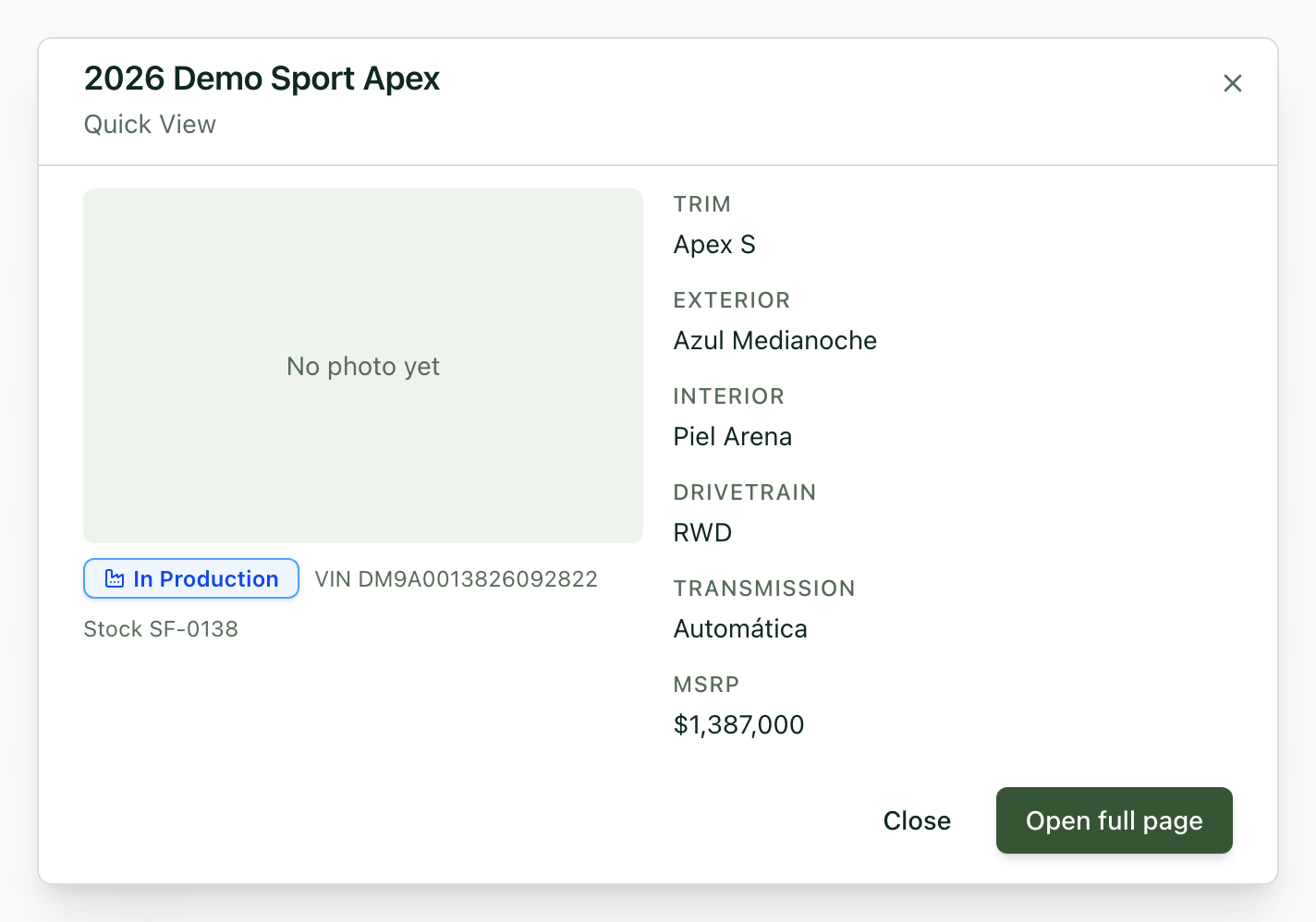
With Preview, in the first column of each row, you open a quick card without leaving the list: trim, colors, drivetrain, transmission and price.
7. Open the full page
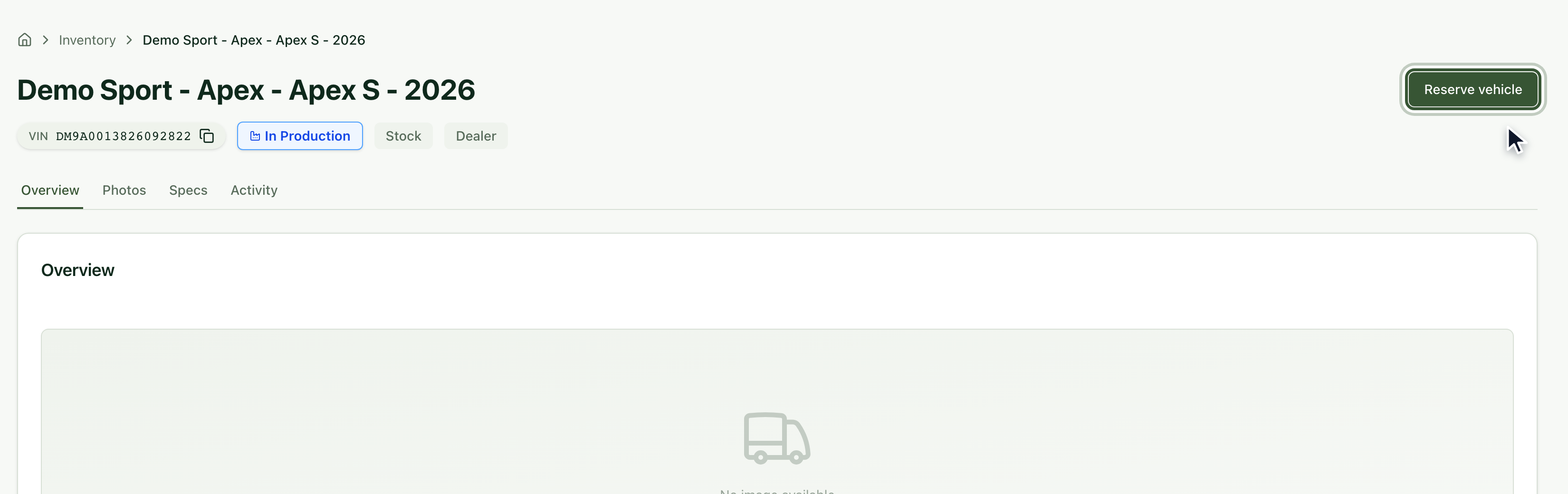
With Open full page you see the whole vehicle: its Overview, Photos, Specifications and Activity. From there you can also Reserve vehicle, which we cover in the next article.
Frequently asked questions
I can't find a vehicle. Click Reset to clear the filters and search again. Also check that the VIN or stock number is typed correctly.
What does each status mean? Reserved already has a customer; the others tell you whether the vehicle is available or at which stage it is: At Port, In Production or At Dealership.
Where do I see the photos? On the vehicle's full page, in the Photos tab.
To hold the vehicle for your customer, see the article How to create a reservation.