Centrio has a new design. Everything is still where it was, but it's now clearer to read and what matters is in plain sight.
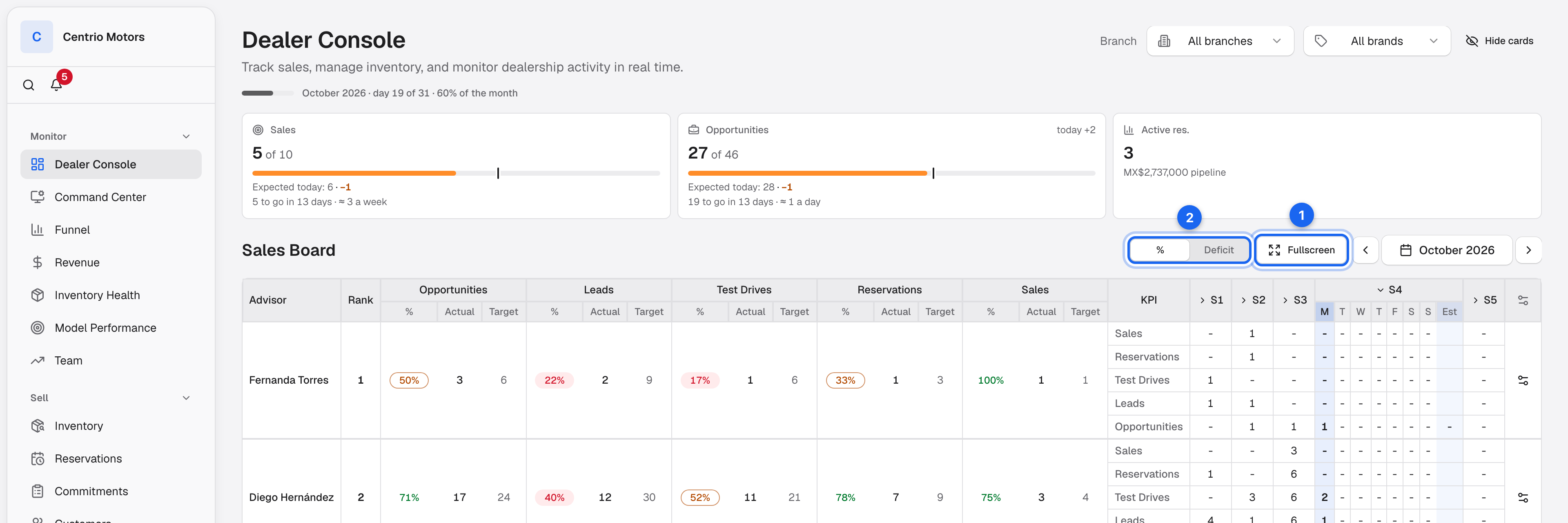
The window is light grey and the content sits on white panels. Buttons are raised (1) and options that exclude each other, like % and Deficit on the Sales Board, are a segmented control (2). Statuses (available, reserved, pending…) show as labels with an icon.
The sidebar floats over the window. To give your screen more room, hover over the sidebar and use the handle on its edge (1): the sidebar collapses and only the icons stay.
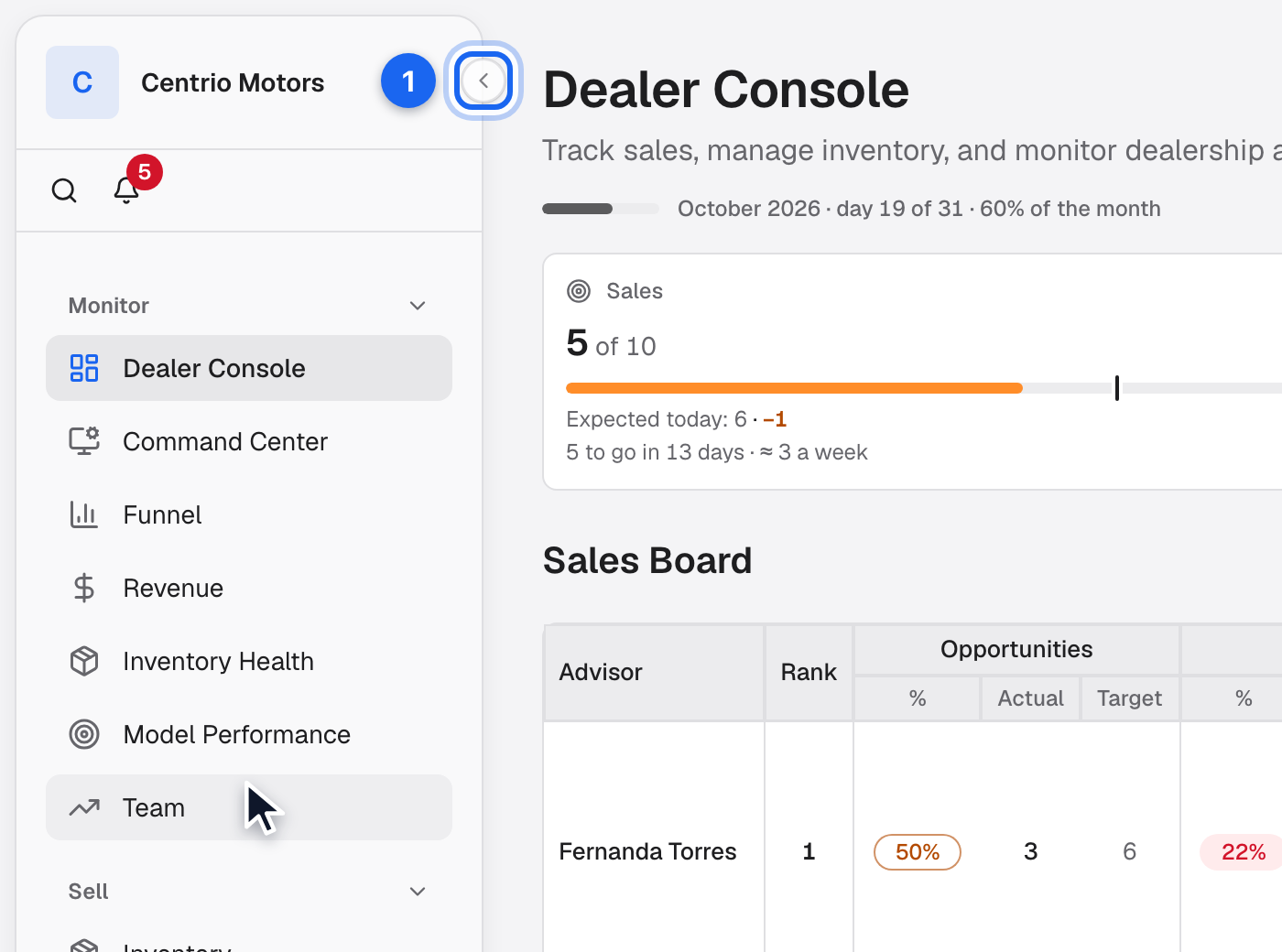
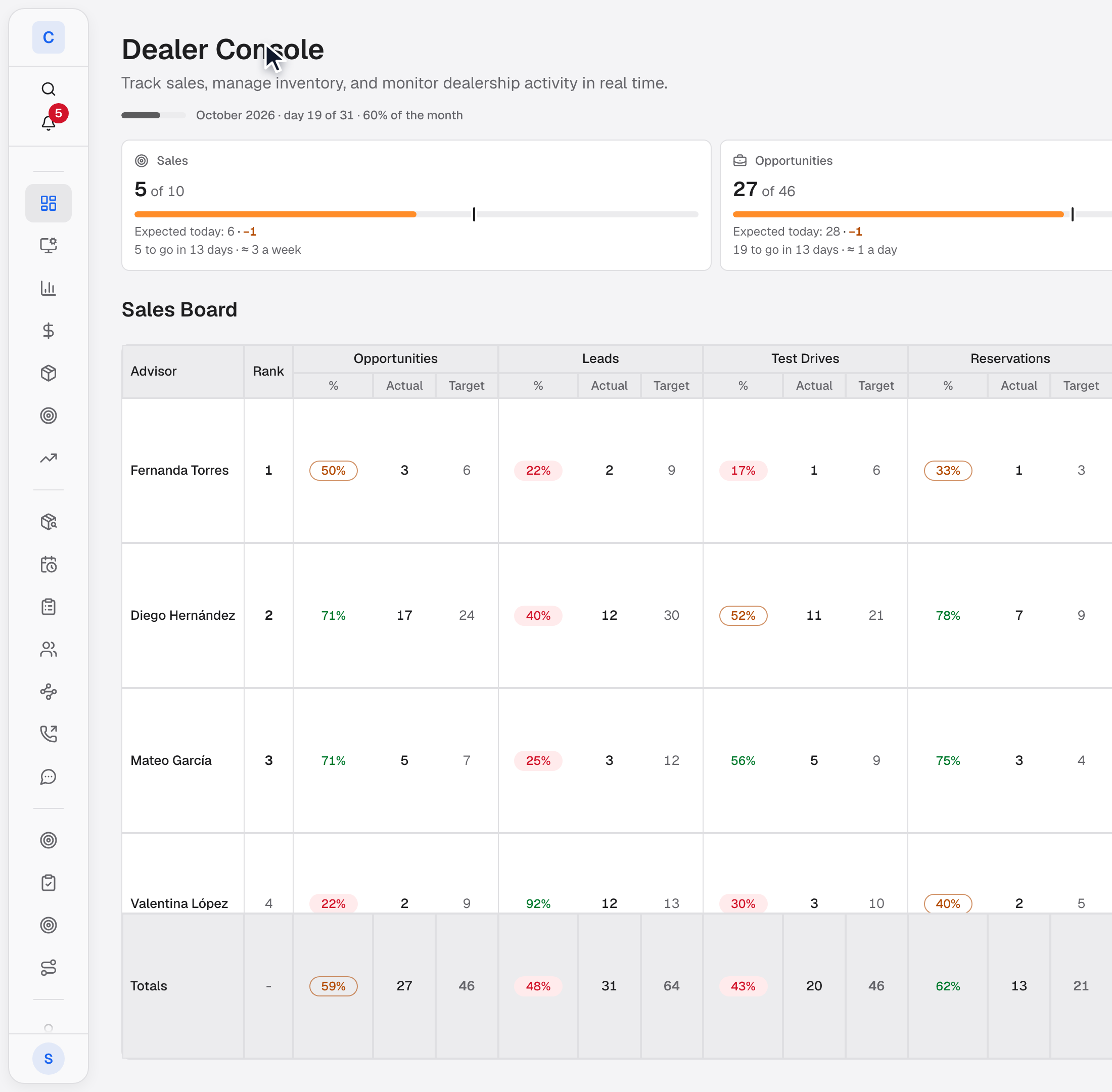
With the sidebar collapsed, hover over an icon to see its name; the same handle opens it again.
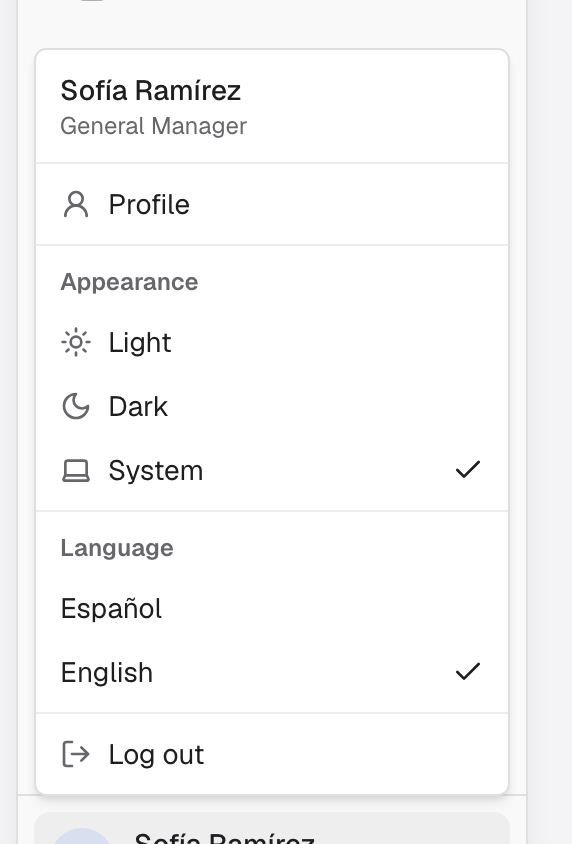
Your theme, your language and sign-out now live in one menu: click your name, at the bottom left. There you'll find Profile, Appearance (Light, Dark or System), Language (Español or English) and Log out. The current choice has a check mark.
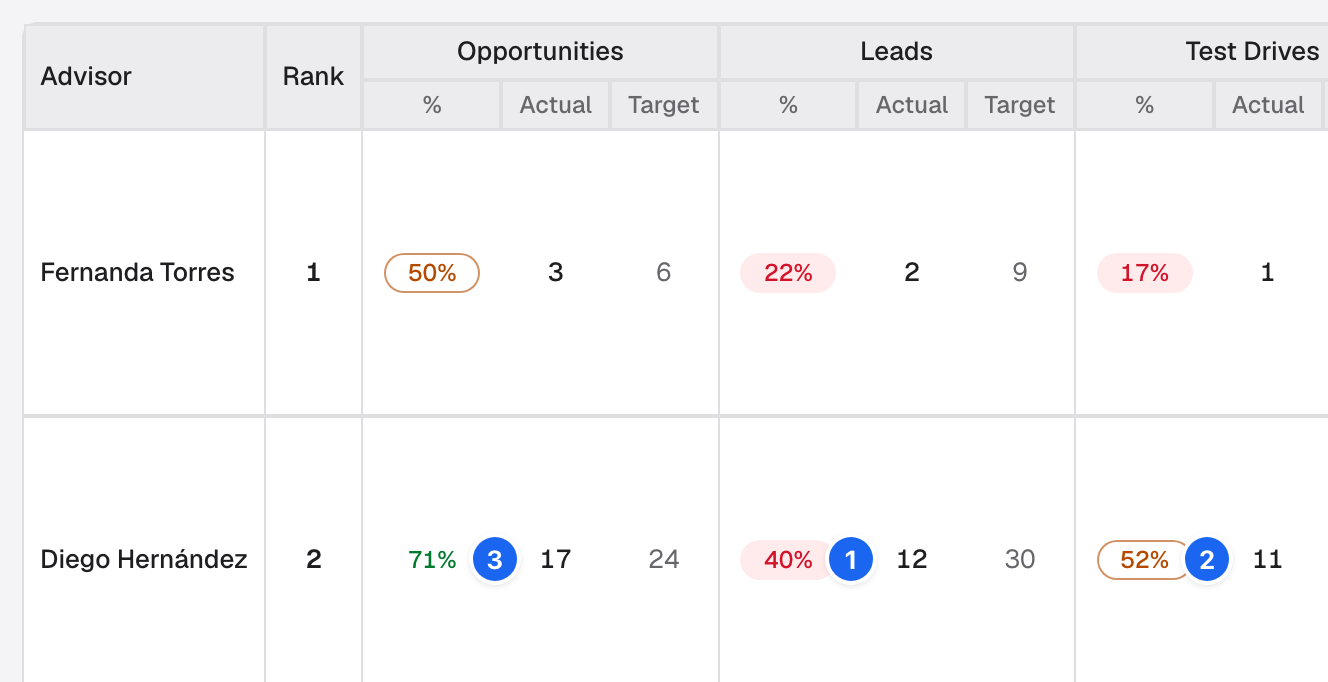
Each cell's percentage is colored against today's pace, with more weight the more urgent it is:
Red, filled (1): the advisor is behind.
Orange, outlined (2): they're a little short.
Green, no fill (3): they're on pace.
The Rank is just the number, and a cell with no target shows —.
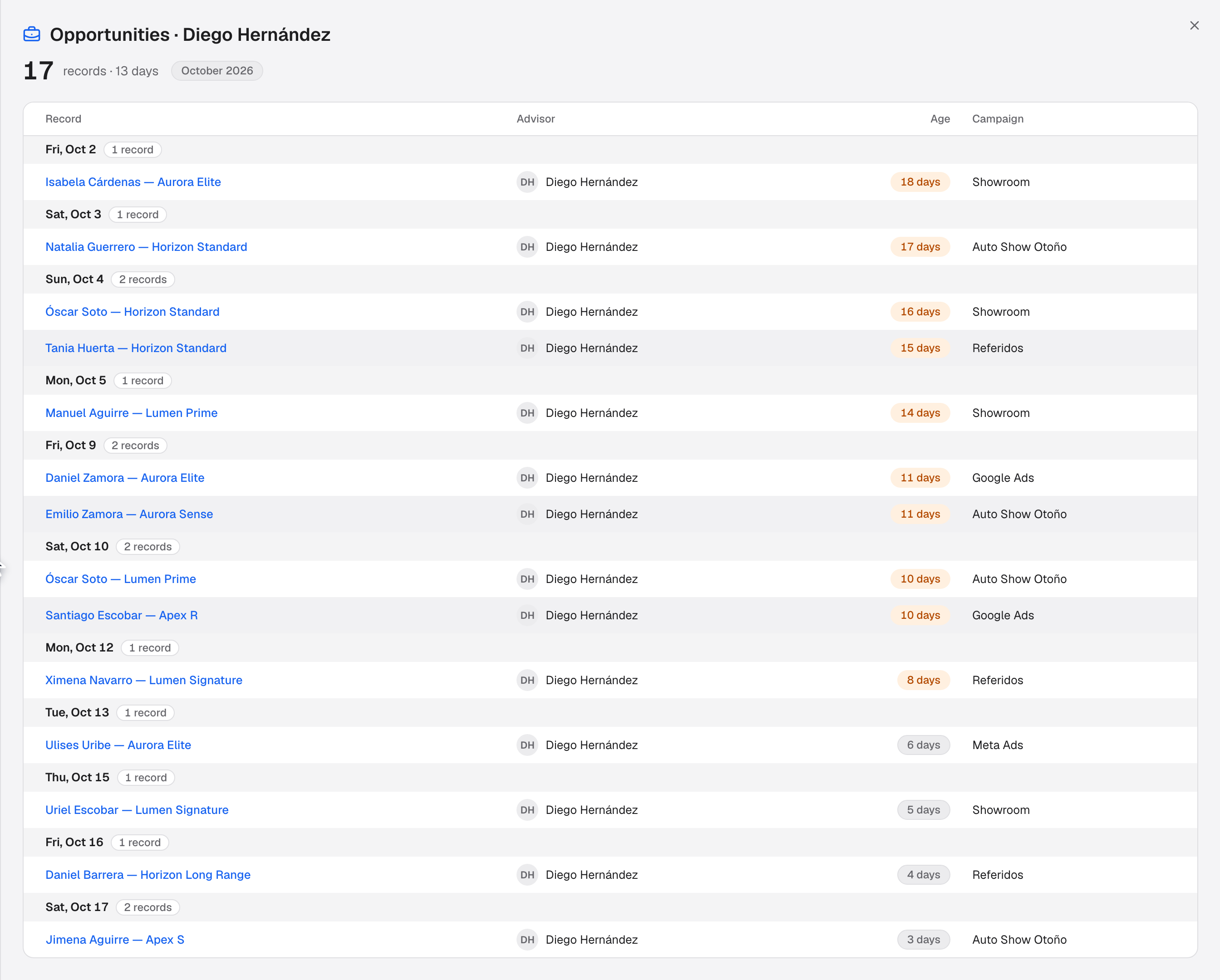
Click any number on the Sales Board: the detail slides in from the right edge. At the top you see the indicator with its icon, the total and the period; below, the records grouped by day, with the advisor's initials and how many days each one has been open (orange from 8 to 30 days, red after that). Click a record's name to open it.
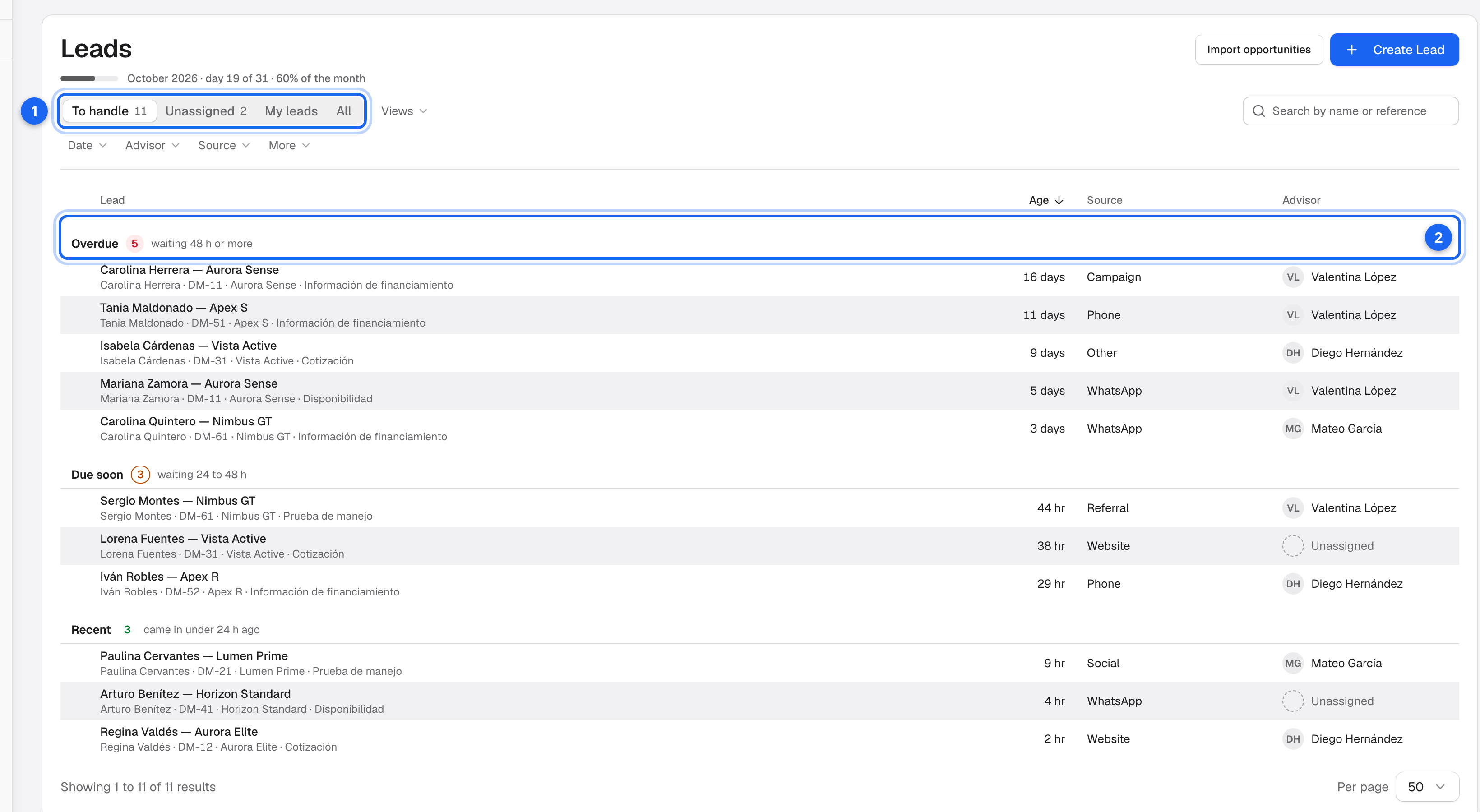
At the top you pick the view (1), with how many records it has: in Leads, To handle, Unassigned, My leads or All; in Opportunities, Open, Unassigned, My opportunities or All. Advisors see their own views.
To handle groups the leads still in a new stage by how long they've been waiting (2):
Overdue: waiting 48 hours or more.
Due soon: waiting between 24 and 48 hours.
Recent: arrived less than 24 hours ago.
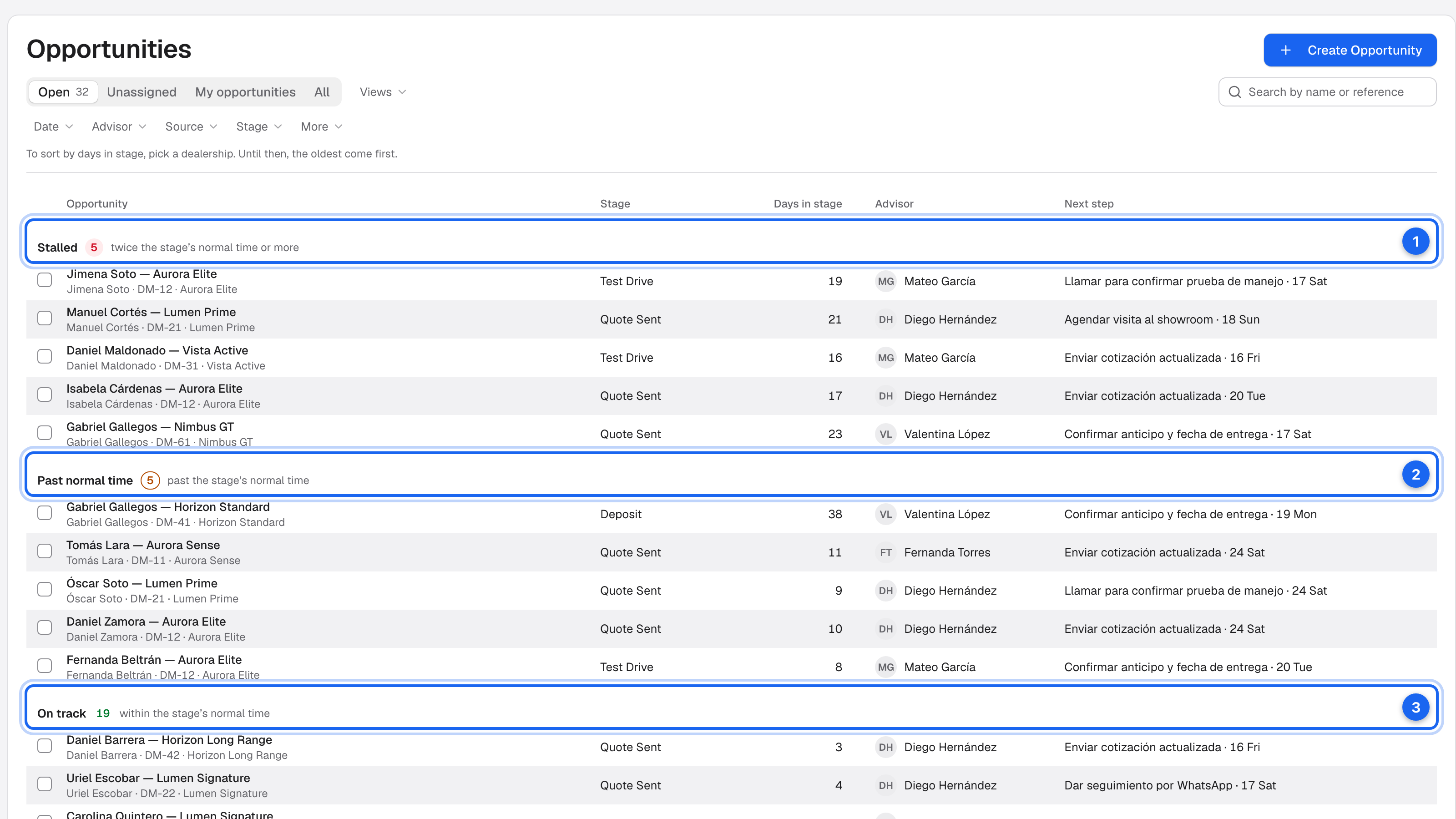
In Opportunities, the open ones are grouped by how long they've been in their stage: Stalled (1), twice their normal time or more; Past normal time (2); On track (3); and Over 90 days in stage, to close them or move them on.
The filters are pull-down menus in a single row: Date, Advisor, Source, Stage and More. Each filter you pick stays as a tag (1) you remove with its ×, and with Views (2) you save or open your views.

To open a lead or an opportunity, click anywhere on its row.
Centrio on your phone has the new design too: every screen has a header with the back arrow, records only show the fields that have information, buttons and filters are easier to tap, and long lists are split into pages.
Did anything move? No: the sidebar, the sections and the buttons are where they were. What changed is how they look.
How do I switch to dark mode? Click your name, at the bottom left, and under Appearance choose Dark. With System, Centrio follows your computer's setting.
Why is an opportunity shown as Stalled? Because it has spent twice its normal time in the stage, or more. The normal time is the same one the Funnel uses; stages that wait on something outside the sales floor, like a deposit, have a longer normal time.
