
The Weekly Minutes are the record of each week's sales meeting: how the month's target is going, what happened last week and what the team commits to this week.
1. Open the current week
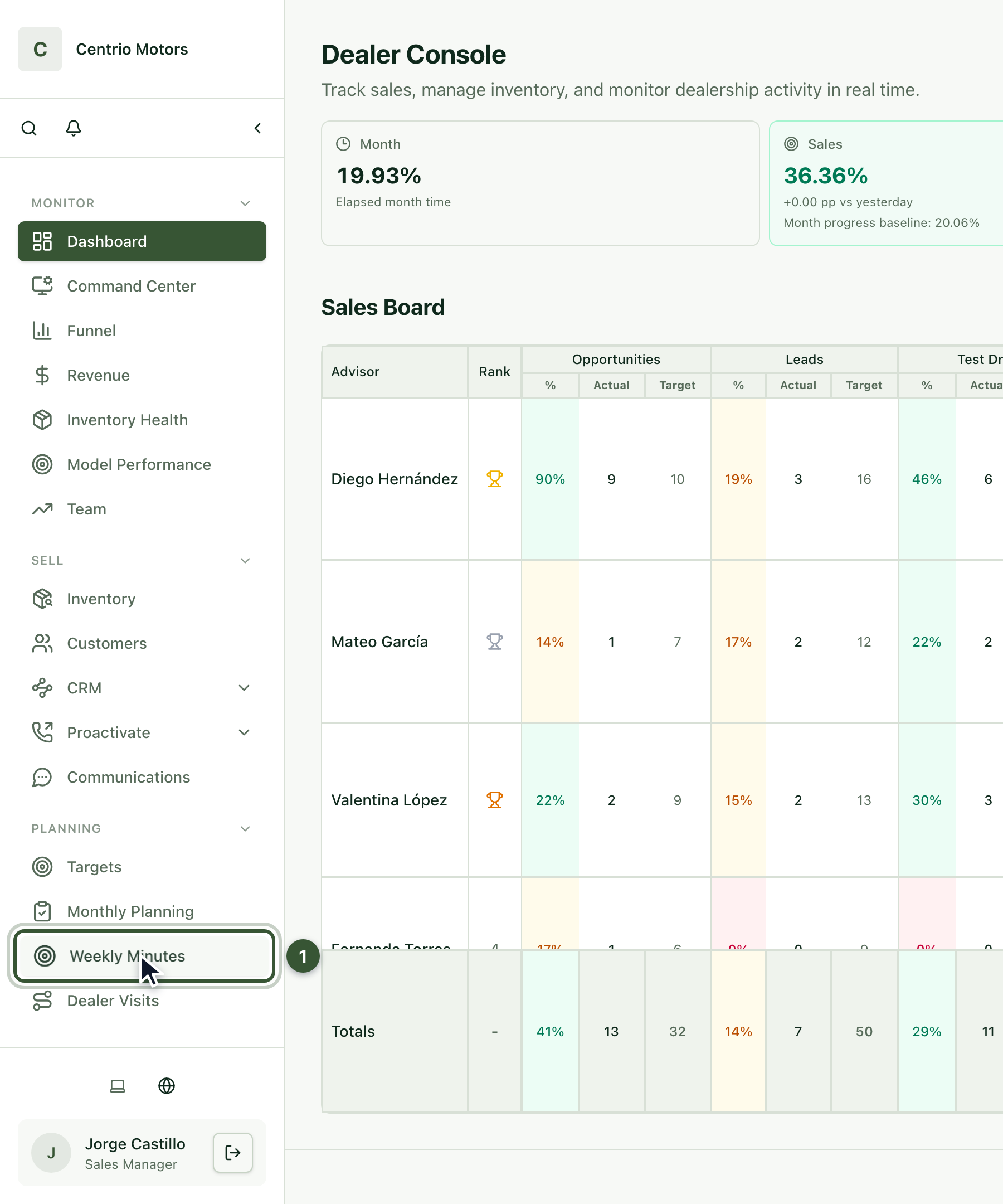
In the sidebar, under Planning, click Weekly Minutes (1).
Press Open current week and then Start weekly minutes.

The Weekly minutes history shows each month with its weeks; use Open to review an earlier week.
2. Fill in the header
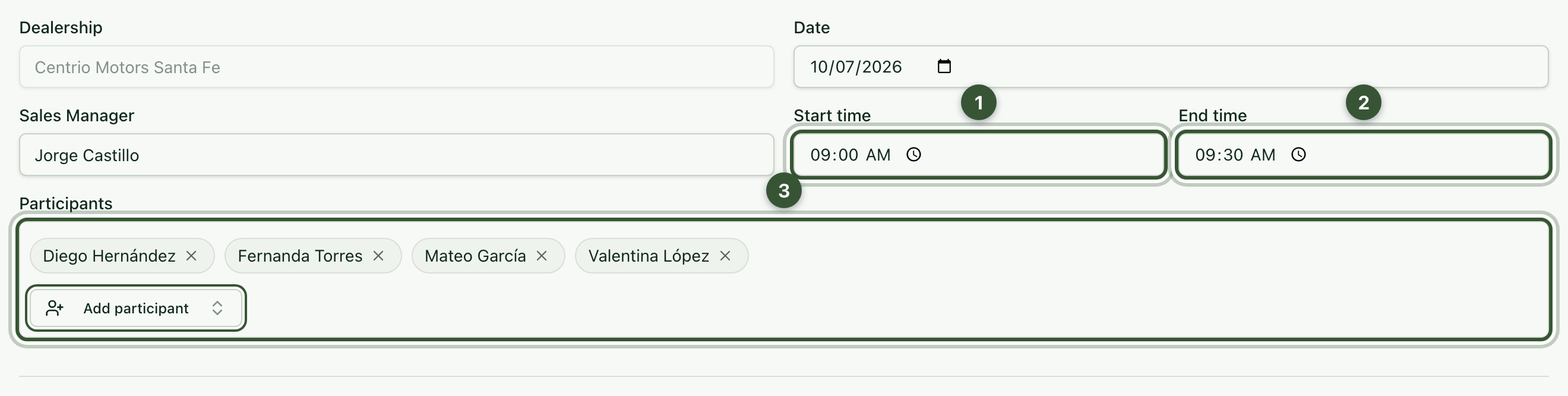
The date and the manager are already filled in. Enter the Start time (1) and End time (2), and add the Participants (3).
3. Review the key indicators
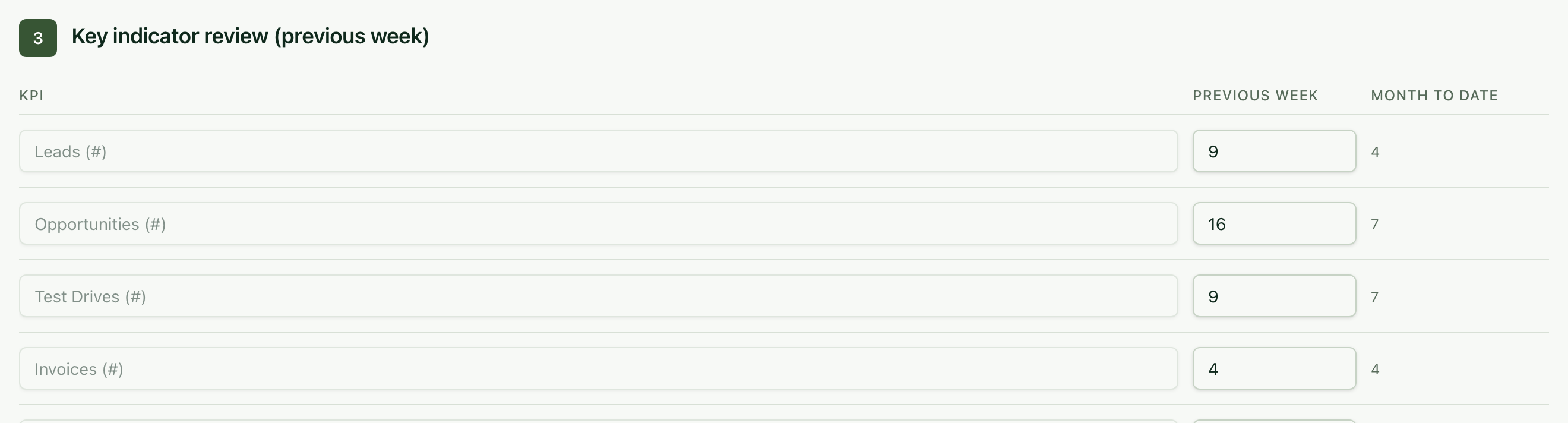
Key indicator review shows each indicator for the Previous week and Month to date, taken from the Sales Board. Below, write down the Positive aspects to keep.
4. Write down the week's topics
Fill in Target progress vs month progress, Weekly orders vs commitments, Target adjustment for upcoming weeks, Closing estimates for the current week, Attack lists and proactive actions and Special announcements.

The minutes save on their own while you type.
5. Complete them
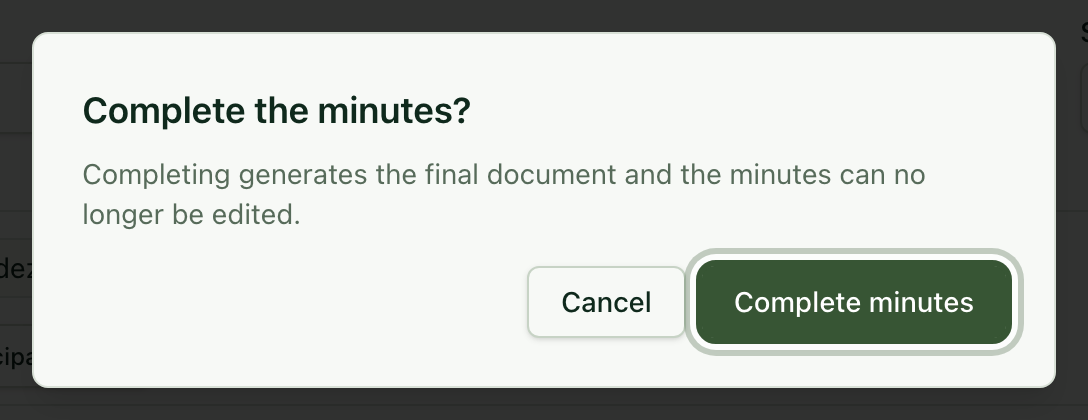
Click Complete and confirm with Complete minutes. The minutes are closed and you can open their signed version with Open signed HTML.
Frequently asked questions
Which week counts as the "previous week"? The Monday-to-Sunday week before the minutes' week.
Can I create an action plan from the minutes? Yes. At the end of the minutes open Create action-plan draft from this minute.