
The Advisor 1:1 is the monthly meeting with each advisor. Centrio prepares the minutes with their numbers and you record what you agreed.
1. Open Advisor 1:1
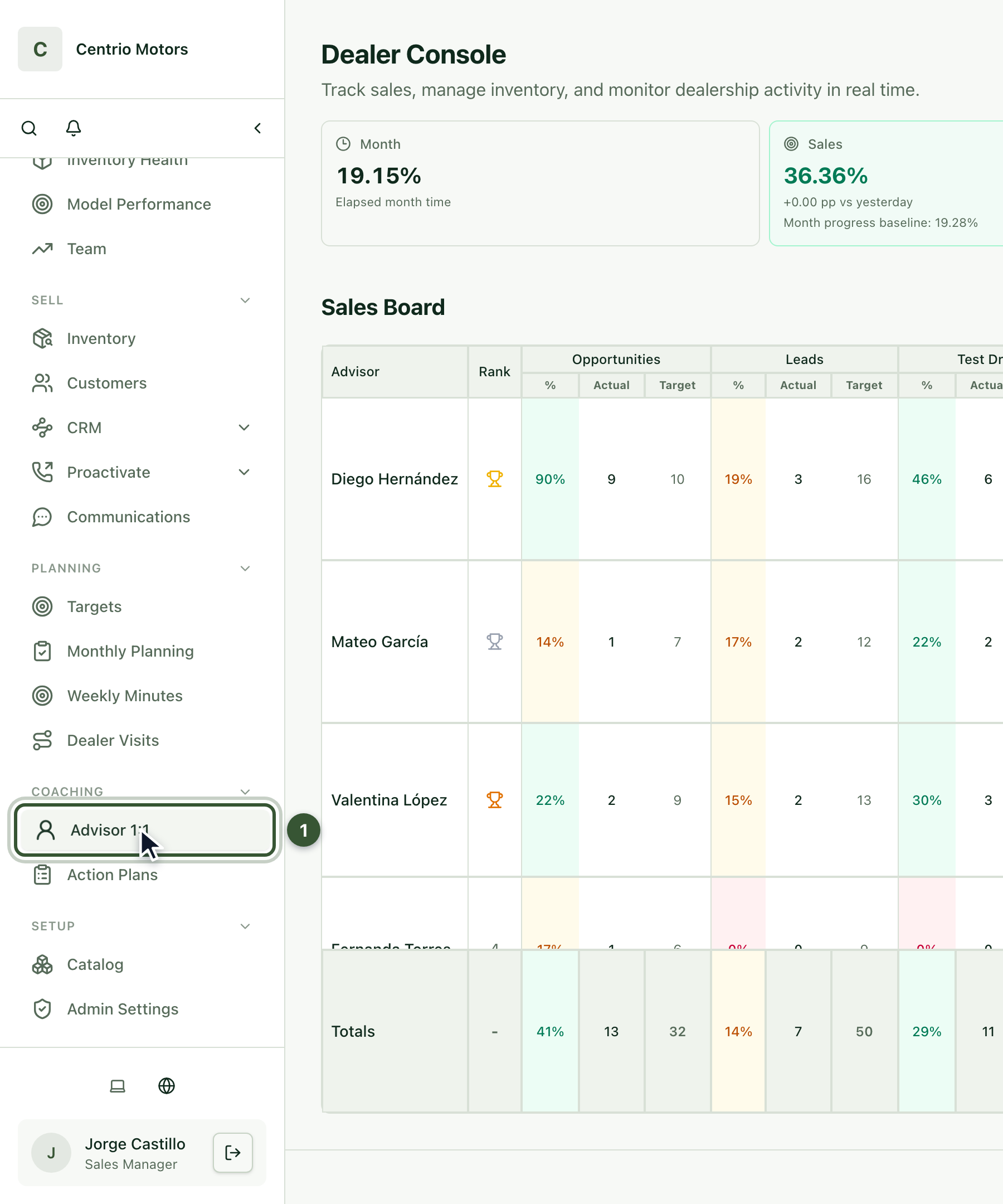
In the sidebar, under Coaching, click Advisor 1:1 (1).
2. Open the advisor's minutes
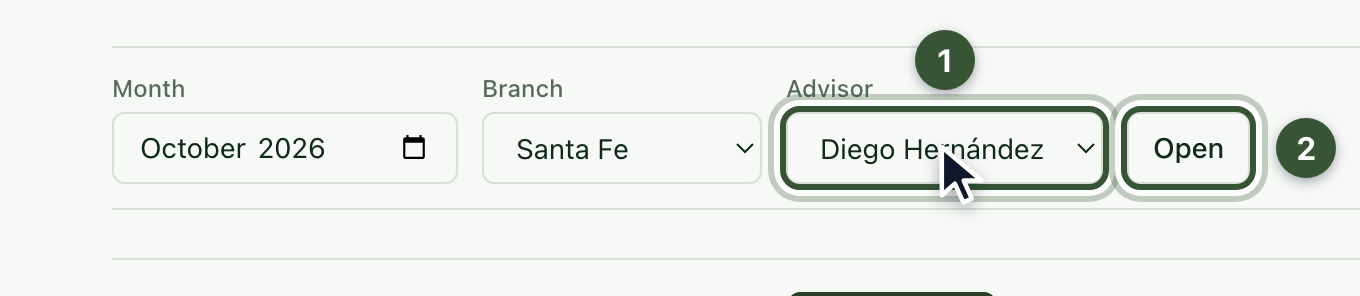
Choose the Month and the Advisor (1) and press Open (2).
If there are no minutes for that month yet, press Create draft.
3. Review their KPIs
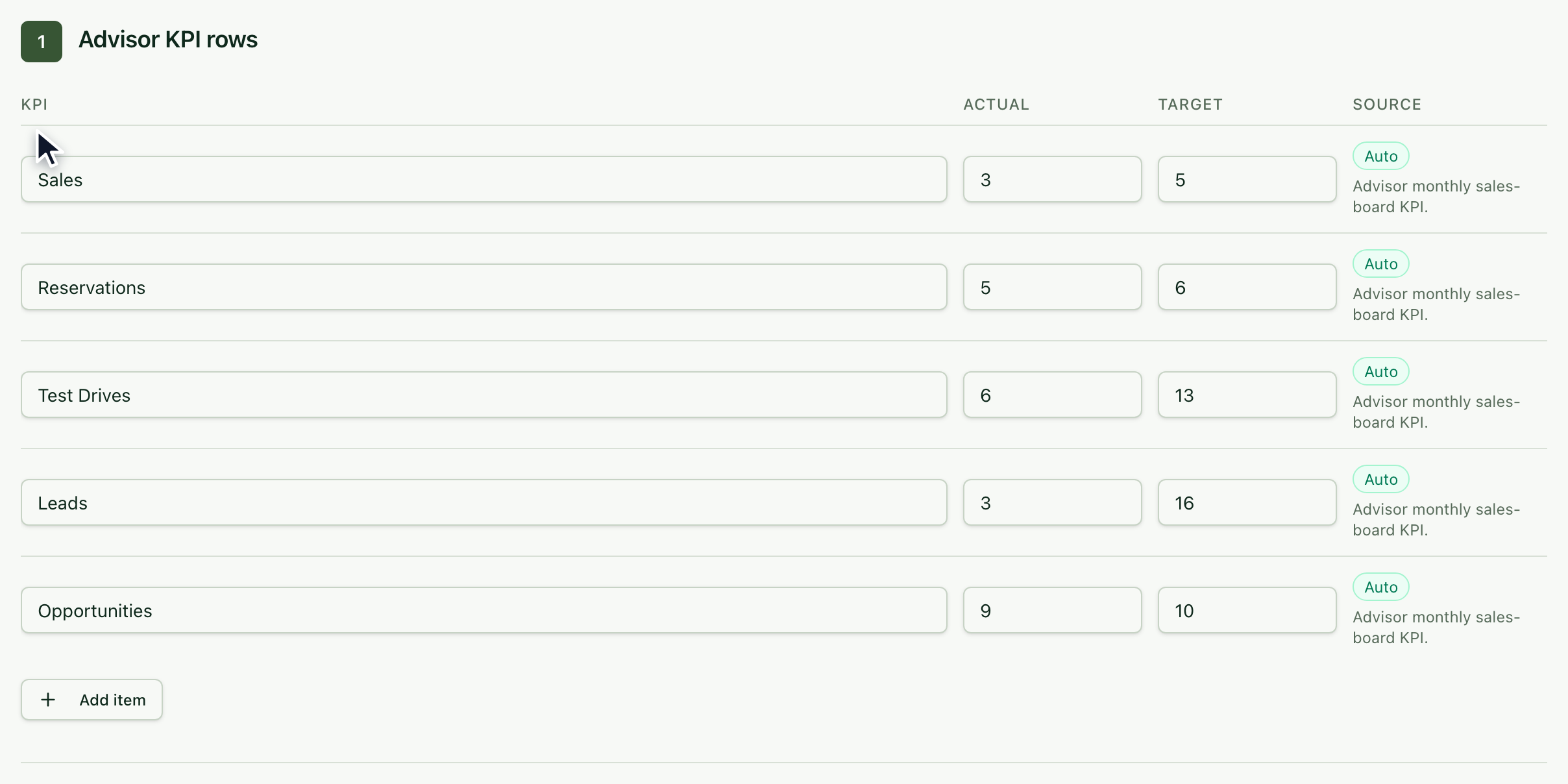
The Advisor KPI rows section already brings the Actual and Target for each indicator, taken from the Sales Board. Use Add item to add another topic to review.
At the top, the yellow notice tells you which fields are missing to complete the minutes; click any of them to jump to it.
4. Fill in the minutes
Check the Date and the Manager, and enter the Start (1) and End (2) time.

Write the Performance summary, the Opportunities, the Commitments and the Next steps. They're required; Strengths, Manager support and Prior action-plan follow-up are optional.

The minutes save on their own while you type (Saved · time). You can also press Save.
5. Complete the minutes
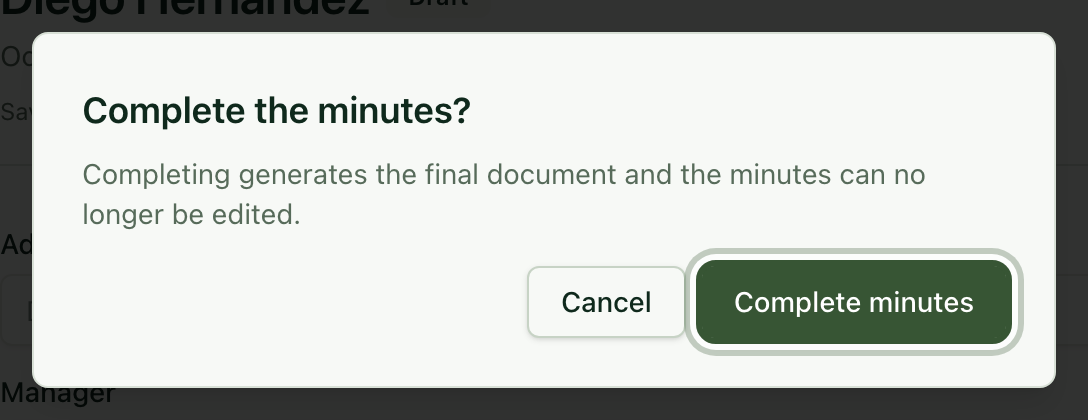
Click Complete and confirm with Complete minutes. The minutes are closed (they can no longer be edited) and you can open their signed version with Open signed HTML.
Frequently asked questions
I don't see an advisor in the list. The list shows the advisors of the selected branch; change the Branch.
Can I create an action plan from the 1:1? Yes. Below the minutes open Create advisor action-plan draft from this 1:1; the opportunities, commitments and next steps are copied into the plan.