
Under Targets you see your dealership's goal and split it among your advisors. These are the targets that appear on the Sales Board.
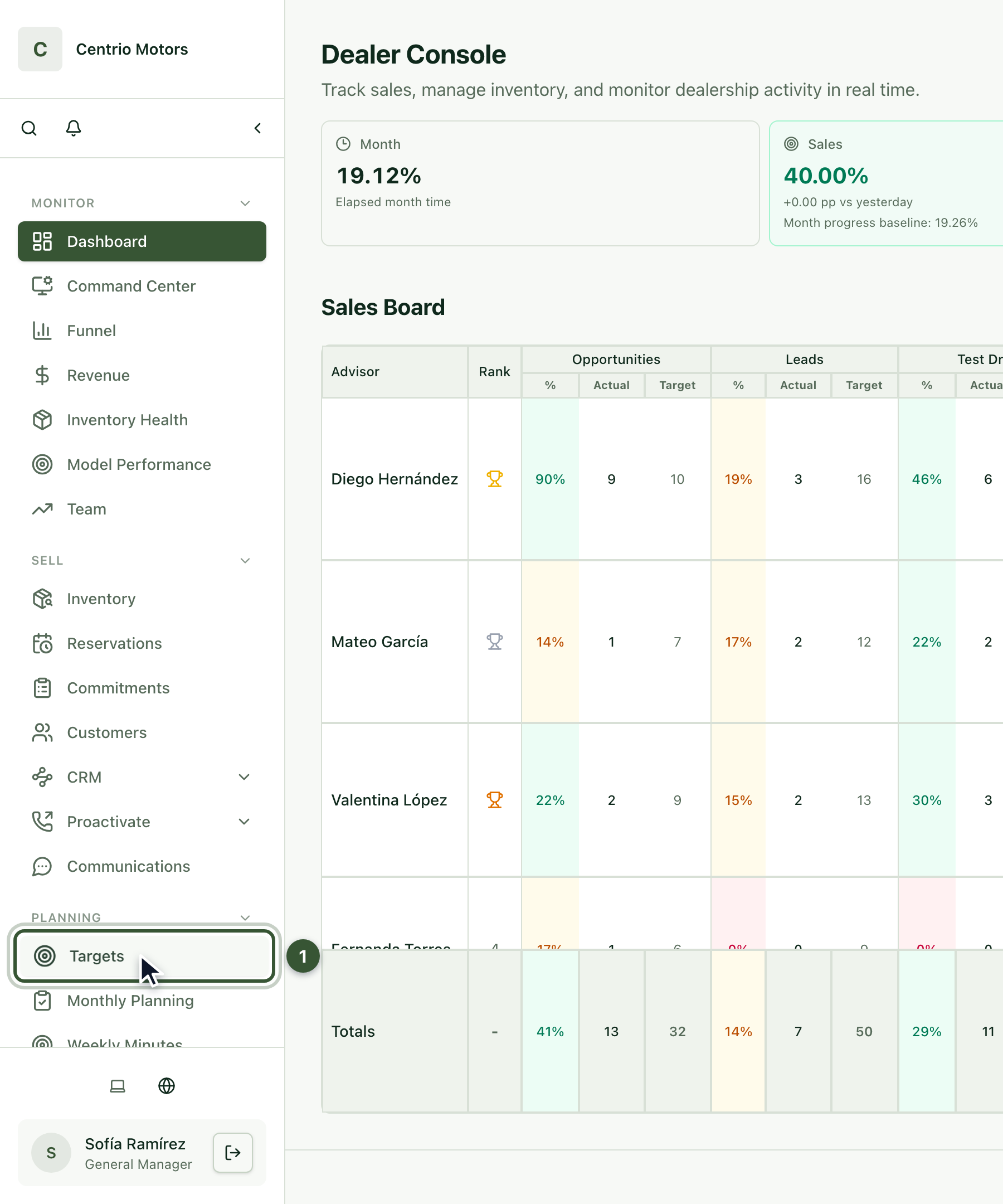
1. Open Targets
In the sidebar, under Planning, click Targets (1).
2. Choose the scope
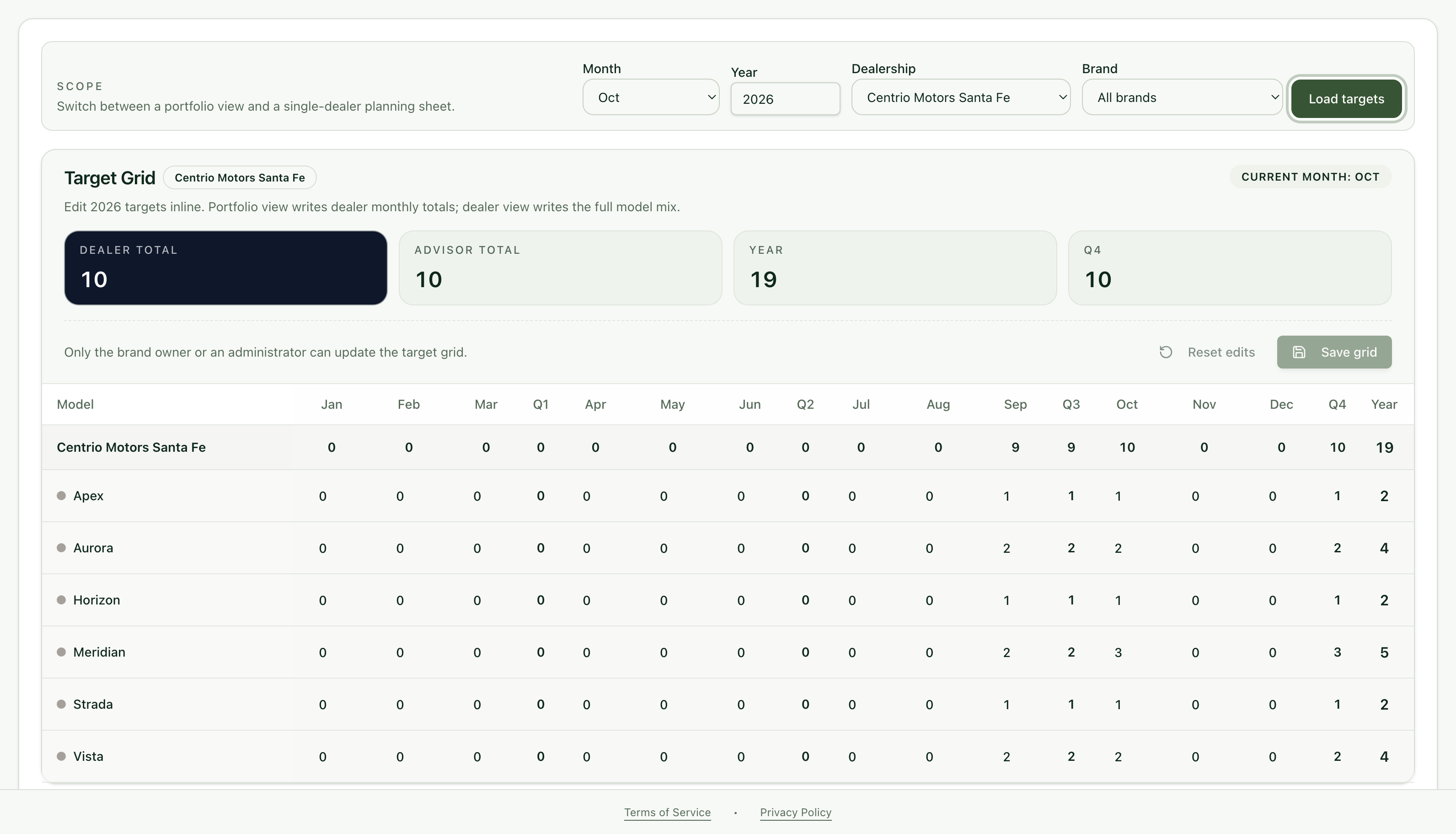
At the top choose the Month, the Year, the Dealership and the Brand, then press Load targets.
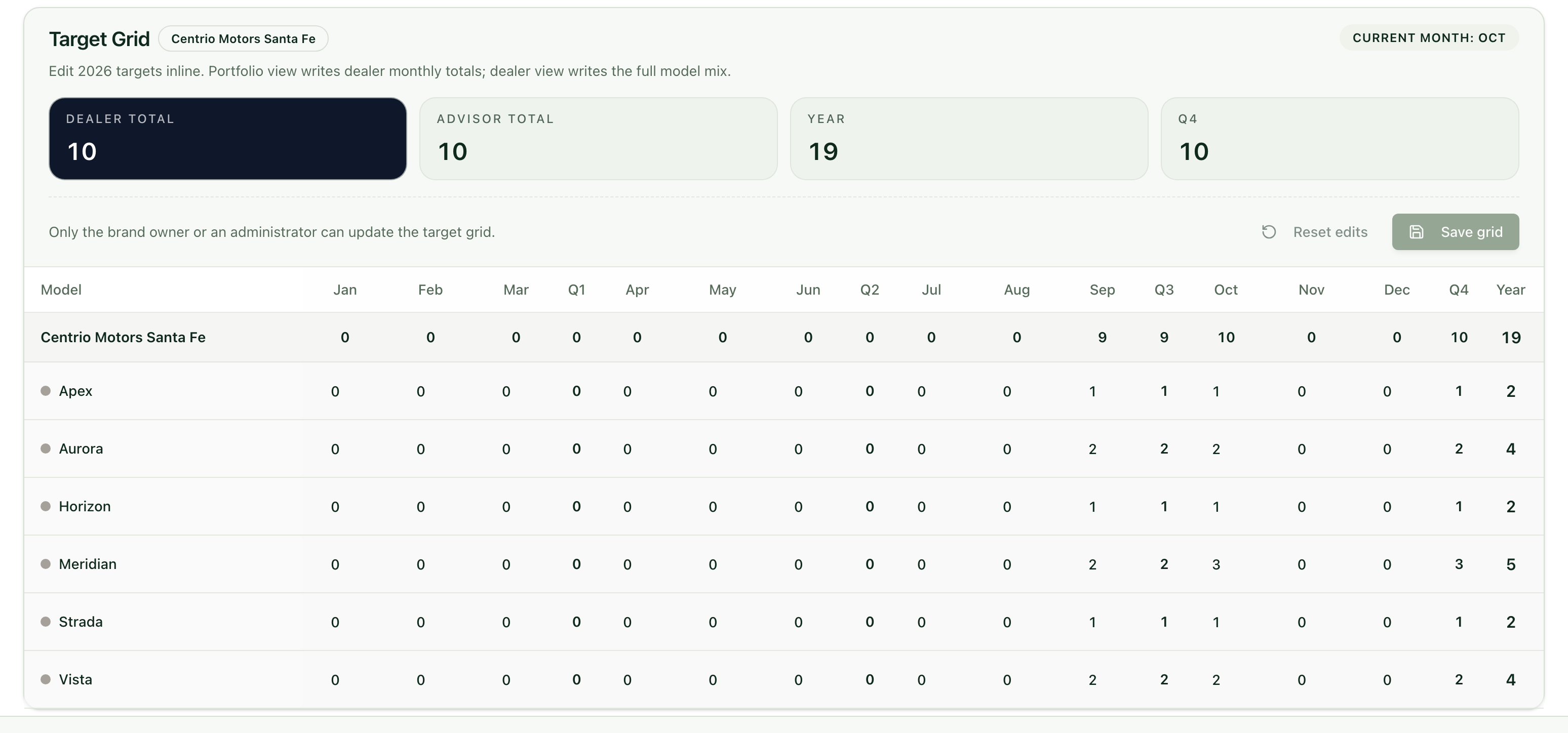
3. Review the Target Grid
The Target Grid shows the sales target for each model, month by month, with each quarter's and the year's totals. It is set by the brand's owner or an administrator.
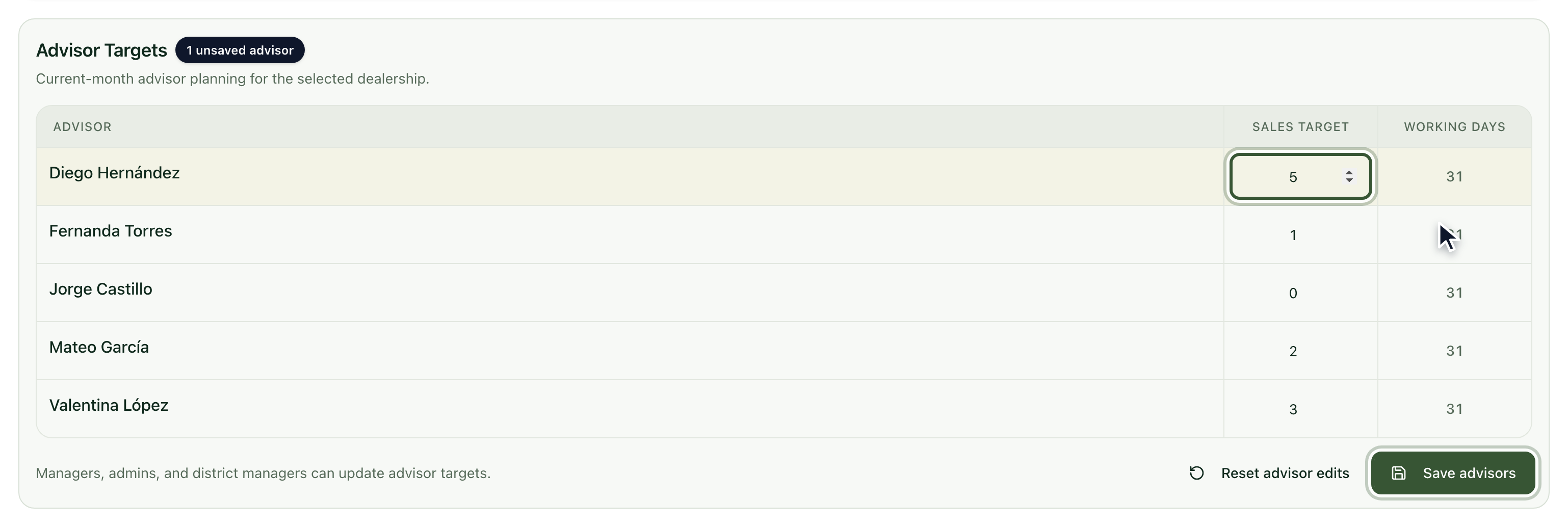
4. Split the target among your advisors
Under Advisor Targets, change each advisor's Sales target.
Press Save advisors. If you make a mistake before saving, use Reset advisor edits.
5. Check the Sales Board
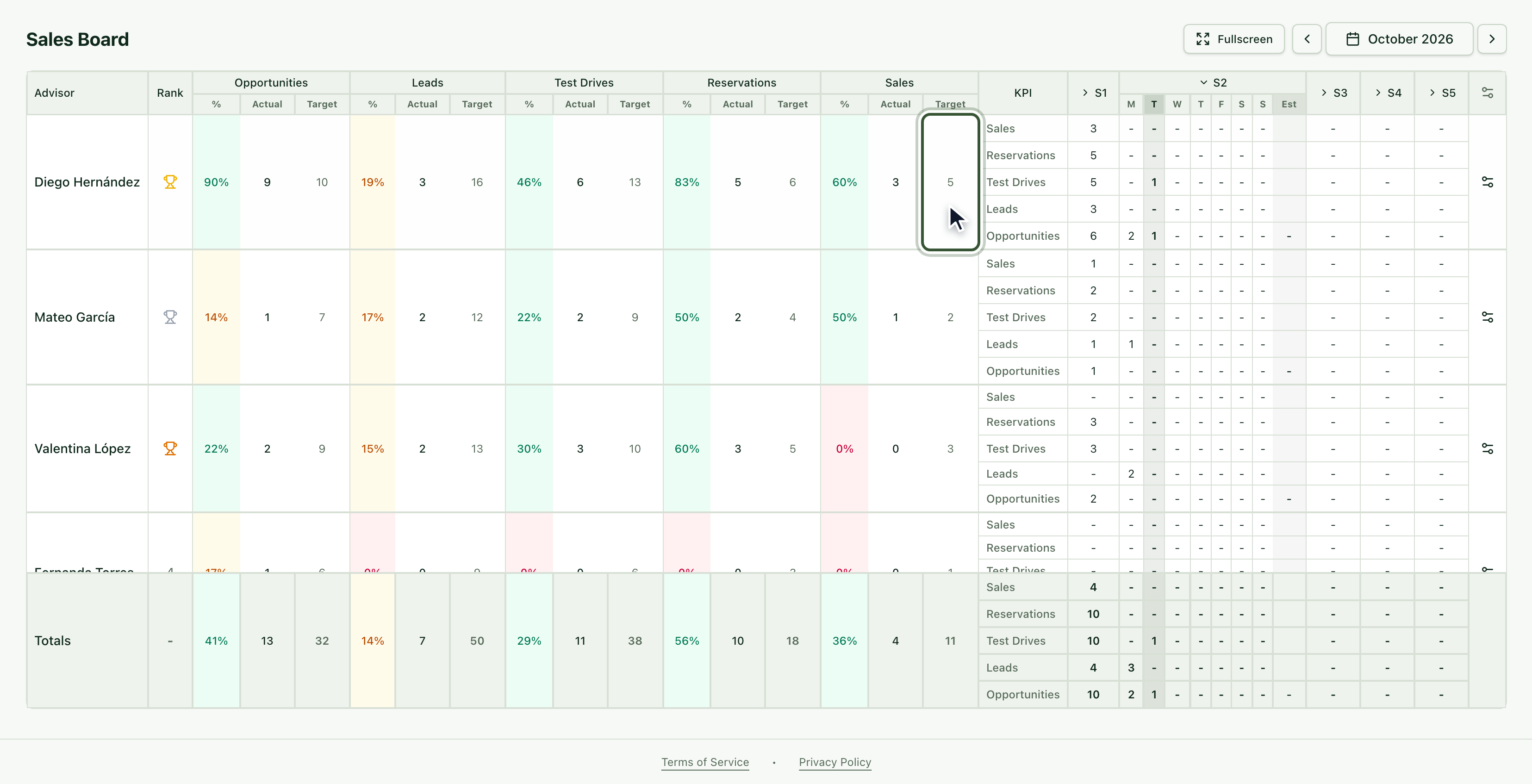
Each advisor's target shows in the Target column of the Sales Board, on the Console.
Frequently asked questions
I can't edit the Target Grid. The grid is updated by the brand's owner or an administrator; you split the target among your advisors.
When should I review the targets? At the start of every month, so your team knows its goal.